Your box. Your rules.

A TV box that works for you: VIPTV built in, a built-in VPN, remote support when you need it, and no ads on your home screen.

Why PrivateTV OS

TV should work for you

TV boxes were supposed to be yours. Instead, every update brings more ads, more tracking and more limits on what you're allowed to do with something you paid for.

We built PrivateTV OS to give you a box that works for you: no ads on your home screen, nobody deciding which apps you can use, and everything you watch in one place.

You own this box

When you buy it, it's yours

The big platforms keep tightening their grip. Google is starting to require app makers to register with Google before their apps can be installed on Android devices, and Amazon's newest Fire TV devices are moving to a system that only runs apps from Amazon's own store.

PrivateTV OS doesn't play that game.

  • Install any app you like - from any store or website.
  • Keep your settings - an update will never take your choices away.
  • No ads, no tracking on your home screen.

About official apps

You don't need them

Because PrivateTV OS isn't controlled by Google or Amazon, some official apps like Netflix, Hulu or Disney+ may not install or may not play correctly - they only fully work on boxes those companies approve.

  • The good news: you don't need them. Their shows and movies are already inside VIPTV.
  • Find anything - open an app in Streaming Apps, pick a show and press Play on VIPTV.
  • Still want them? You can install and use the official apps any time - they're your choice, just not a must.

The home screen

Everything in one place

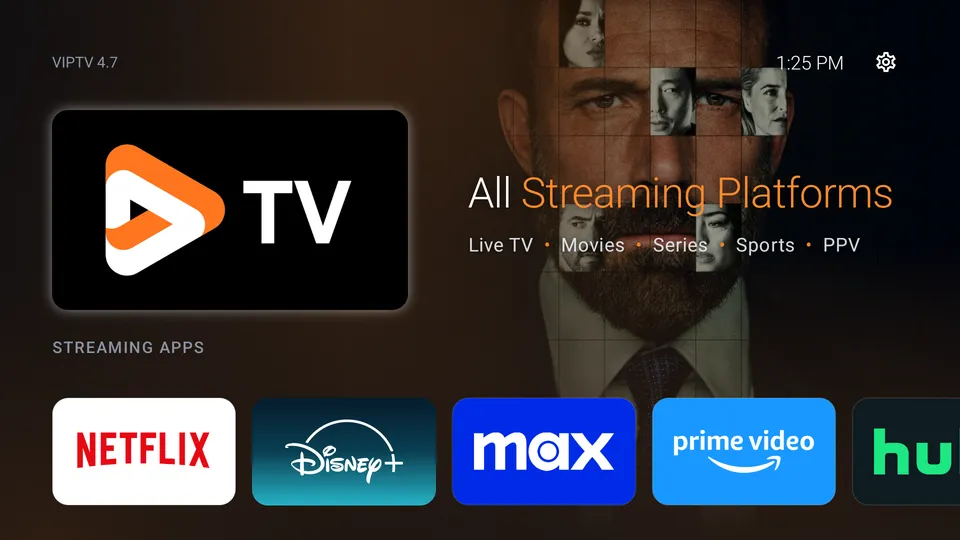
  • VIPTV - live TV, sports, PPV, movies and series. Press OK on the big card.
  • Streaming Apps - open Netflix, Disney+, Max, Prime Video, Hulu, Angel and more to browse their shows, then play them on VIPTV.
  • Home button - always brings you back here.
The PrivateTV OS home screen

Your apps

Set it up your way

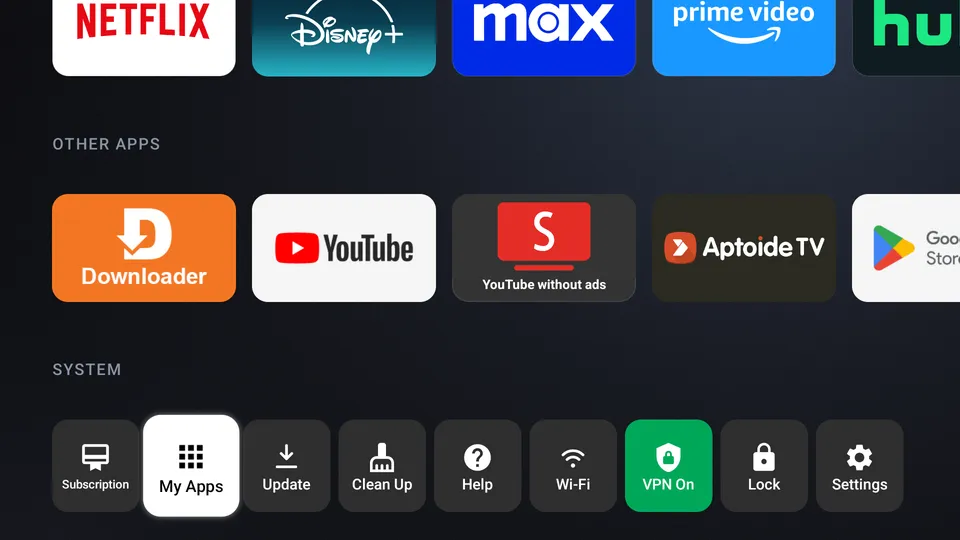
  • Other Apps - YouTube, Downloader, Google Play and more.
  • My Apps - every app on your box. Hold OK on one to add it to your home screen.
  • Move tiles - hold OK on a tile, then use the arrows.
  • System - Wi-Fi, VPN, Clean Up, VIP Store and Settings.
Apps and System rows

Built-in VPN

Stream privately, without slowdowns

Some internet providers slow down or block streaming. The VPN hides what you watch from them, so shows play smoothly and privately.

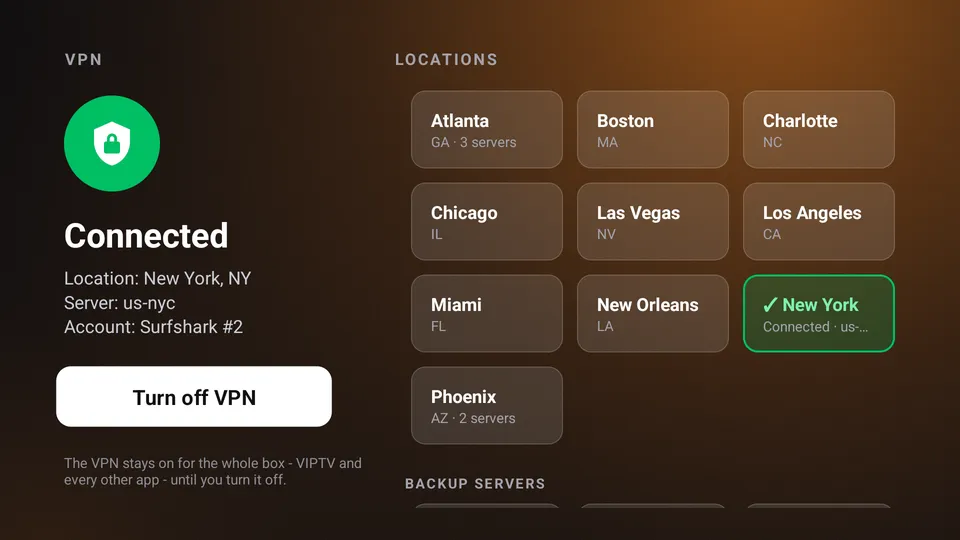
  • Turn it on - System → VPN → Quick connect, or pick a city.
  • Green = protected - the VPN button turns green.
  • Covers everything - VIPTV and every other app.
The VPN screen

Remote support

We can fix it for you

Stuck? Our support team can connect to your box, see your screen and fix it for you - like a technician in your living room.

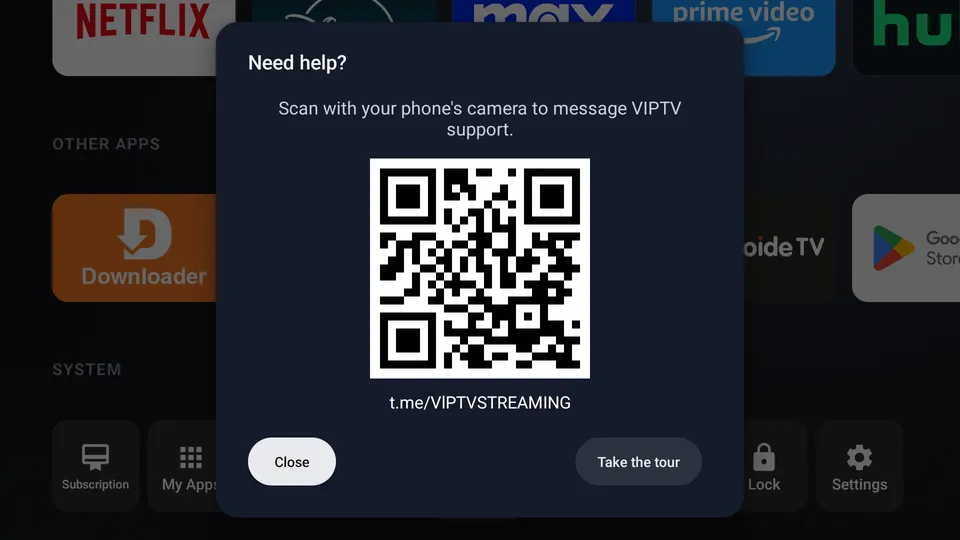
  • Ask for help - System → Help, then scan the QR code.
  • We fix it - support connects to your TV and sorts it out.
  • You're in control - only after you press Allow, with a red label on screen.
Help on the TV

Your plan

Manage your plan from the TV

  • System → Subscription - see your plan and when it renews.
  • Switch plans any time, right from the TV.
  • Payment stays on your phone - scan a QR code and pay there. Card details are never typed on the TV.

Quick fixes

If something's not working

  • Buffering or slow? Turn on the VPN, or press Clean Up.
  • An app acting up? Press Clean Up, then open the app again.
  • Still stuck? Restart the box, then use Help to message support.

Your privacy

What we see - and what we don't

  • Shared so support can help: box model, app versions, your VIPTV username, Wi-Fi or cable, and the VPN location you're using.
  • Never shared: your passwords, or your screen without your OK.
  • No ads and no selling your information - ever.

Get your PrivateTV OS box

VIPTV built in, free shipping in the US. Add a plan and you're watching the day it arrives.